TaskIt App
Task-It
A friendly little task board where every to-do is a sticky note. Jot things down, move them around, check them off, and clear your day — all on one playful grid-paper board that works on your computer and your phone.
Getting started
Open Task-It and you'll see your board with a few example notes already on it. The first time, feel free to delete those and add your own — they won't come back.
Your notes are saved automatically on your device. Close the page, shut down your computer, come back tomorrow — everything will be right where you left it.
What you can do
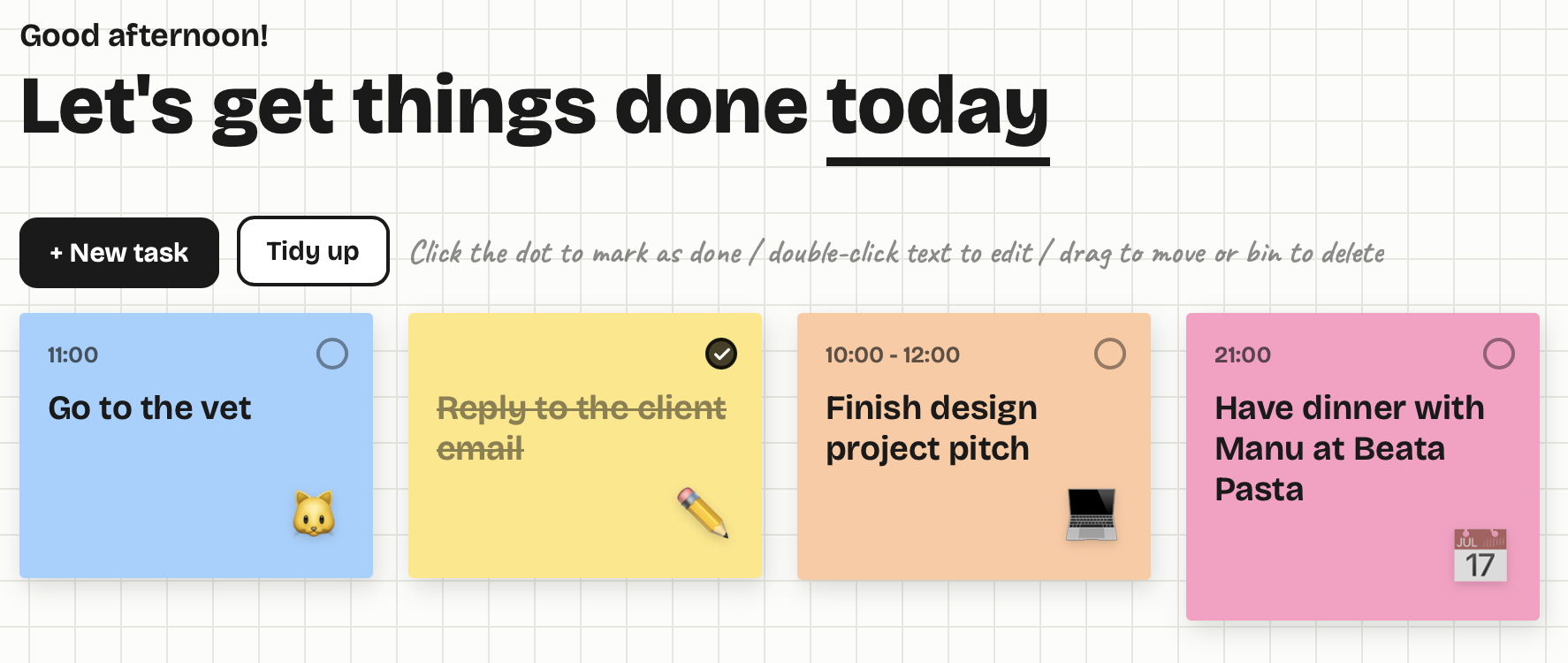
Add a task Tap the + New task button. Type what you need to do, add a time if you want one (like "10:00 – 12:00" or "13:00"), pick a color, and you're done. A new sticky note appears on the board.
Mark a task as done Click the little circle in the top-right corner of a note. It fills in with a checkmark and the text gets crossed out. Click it again to un-do it if you change your mind.
Edit a task Double-click the text on a note to change it right there — no extra windows. Update the title or the time, then click away or press Enter to save.
Change the icon While you're editing a note, click the emoji in its bottom-right corner. A little picker opens with icons to choose from, or you can remove the icon entirely for a clean note.
Move a task Just drag a note wherever you want it on the board.
Delete a task Drag a note onto the bin in the bottom-right corner. The bin lights up red when you're over it — let go and the note's gone.
Tidy the board If your notes get scattered or start overlapping, tap Tidy up to snap everything back into neat rows.
Have fun with the mascot The little character in the top corner says hi. Click it to swap to a different pose — there's a handful to discover.
A quick tip
Each gesture does one thing, so they never get in each other's way:
- Click the dot → mark done
- Double-click the text → edit
- Drag → move (or drop on the bin to delete)
Good to know
Your notes are saved on the device and browser you're using. That means the notes you create on your computer stay on your computer, and your phone keeps its own separate board — they don't talk to each other yet.
Because everything is saved in your browser, avoid clearing your browser's site data if you want to keep your notes, and don't rely on private/incognito mode, where notes disappear once you close the window.
That's it — open it up and start getting things done.
External link
Here is the link to my prototype outside of itch.io. Please note that, since this link uses a different syntax from the itch.io version, they will not sync with each other. So, please use either one or the other.





Leave a comment
Log in with itch.io to leave a comment.